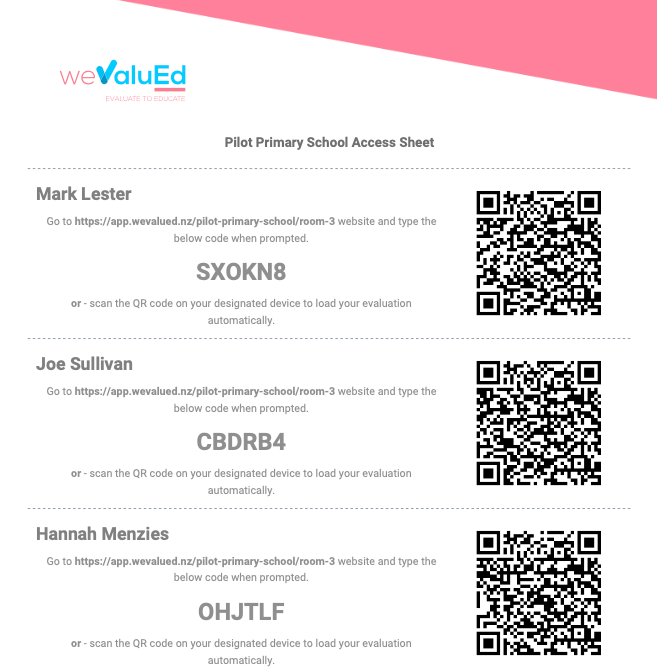
The student access worksheet provides a quick and easy method for teachers to provide access to their students. Download the student access sheet from the classroom dashboard, or, from the students page found on the main navigation. When downloading from the students page, you will have the opportunity to filter or search students.
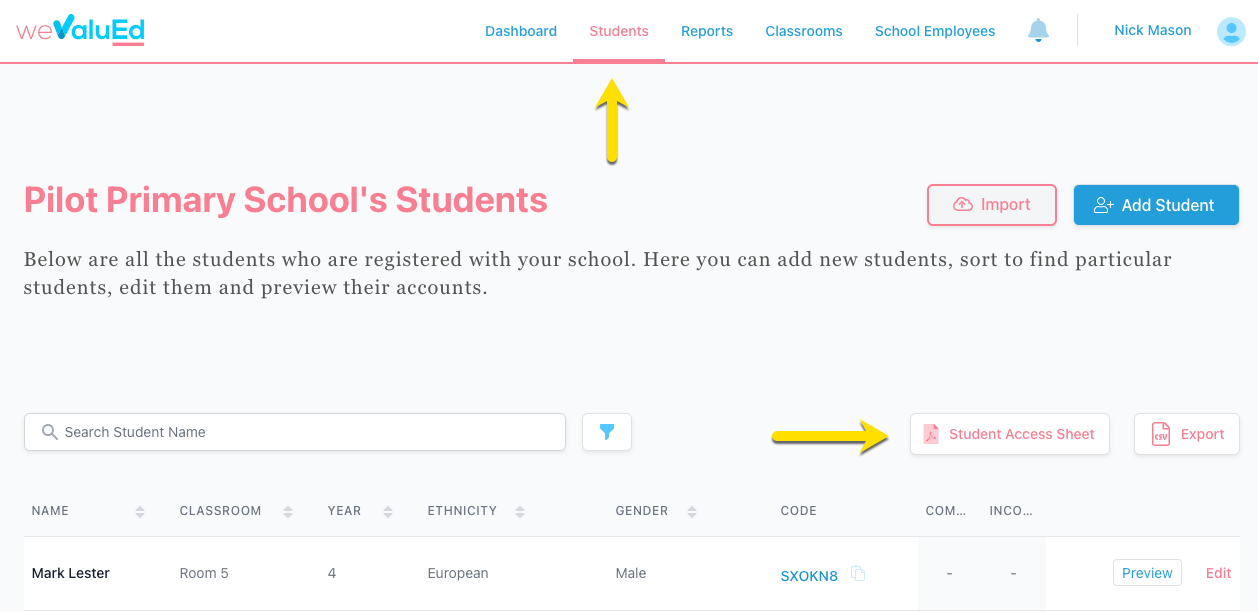
Your filtered selection will be carried through when you click download Student Access Sheet - where a PDF will be generated. The PDF will contain each student specified, with a dotted divider - if the teacher chooses to print a worksheet for their classroom, they can then cut on the dotted divider to hand out to each student.
Instructions for each student is provided, with their unique code, and the website to login to. For even easier access, scan the QR code on a tablet or iPad for direct access without even the need for the student to add the unique student code.