The Student portal is an individual students' view, displaying the evaluations available to that individual student.
Accessing a Student Portal
A techer or student can access student portals in a variety of ways to best suite their needs within their classroom.
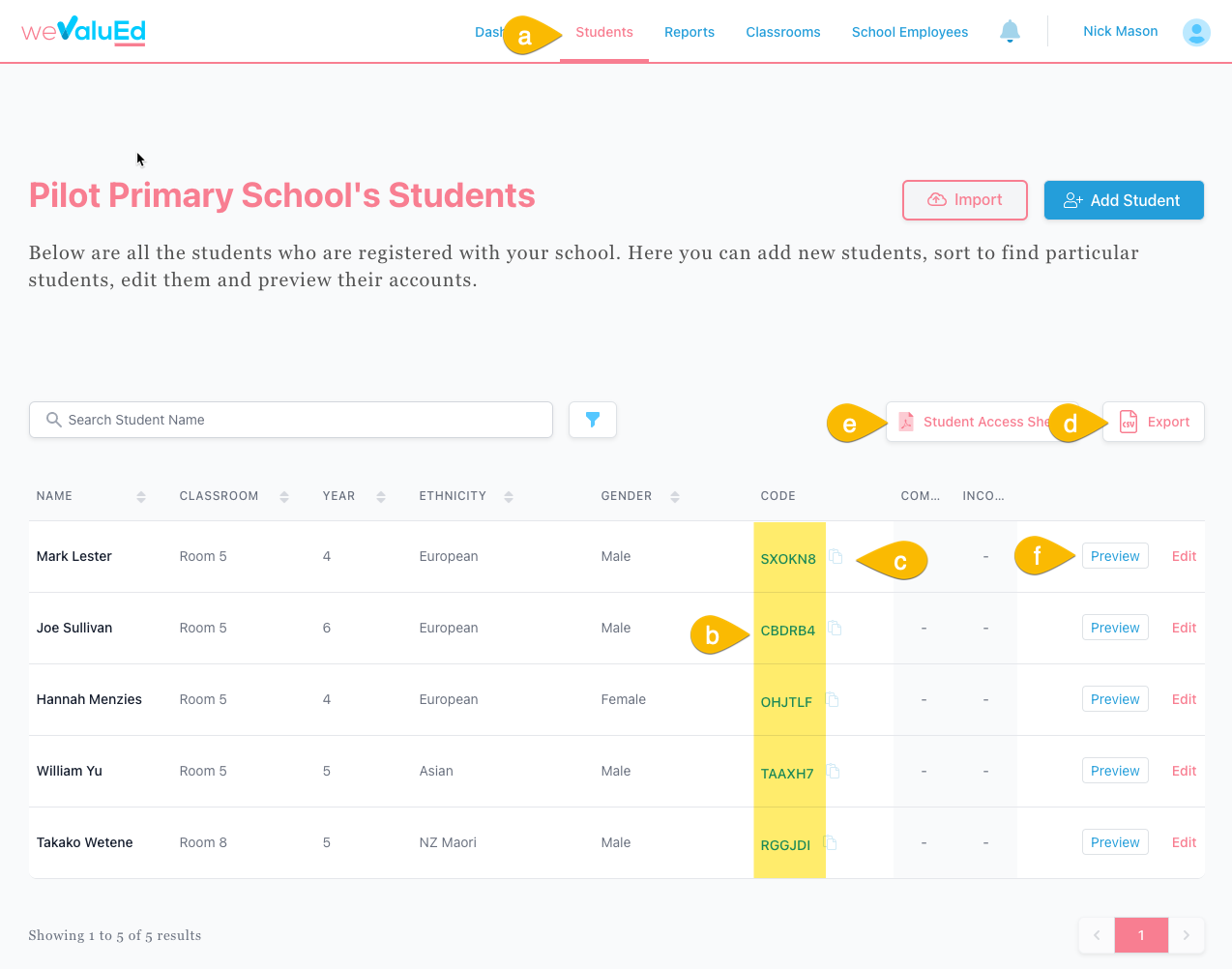
- Using QR code from the Student Access Worksheet (also see (e) in below screenshot)
- Using the Classroom Portal self registration feature
- Using a unique student access code. Each student has a unique 6 alphanumeric access code (b). This can be located from the Students page found on the main navigation (a) when you are logged in as either an administrator or a teacher. You can copy individual links for each student by clicking the copy to clipboard button (c) which provides a magic link providing direct access without the student needing to type in their access code. You can also download access codes into a spreadsheet (d), this includes both the access code and the magic links with direct access in seperate columns.
- A teacher can use their own login to preview and access a student view (f). Evaluations that are performed using student preview are recorded as a student.
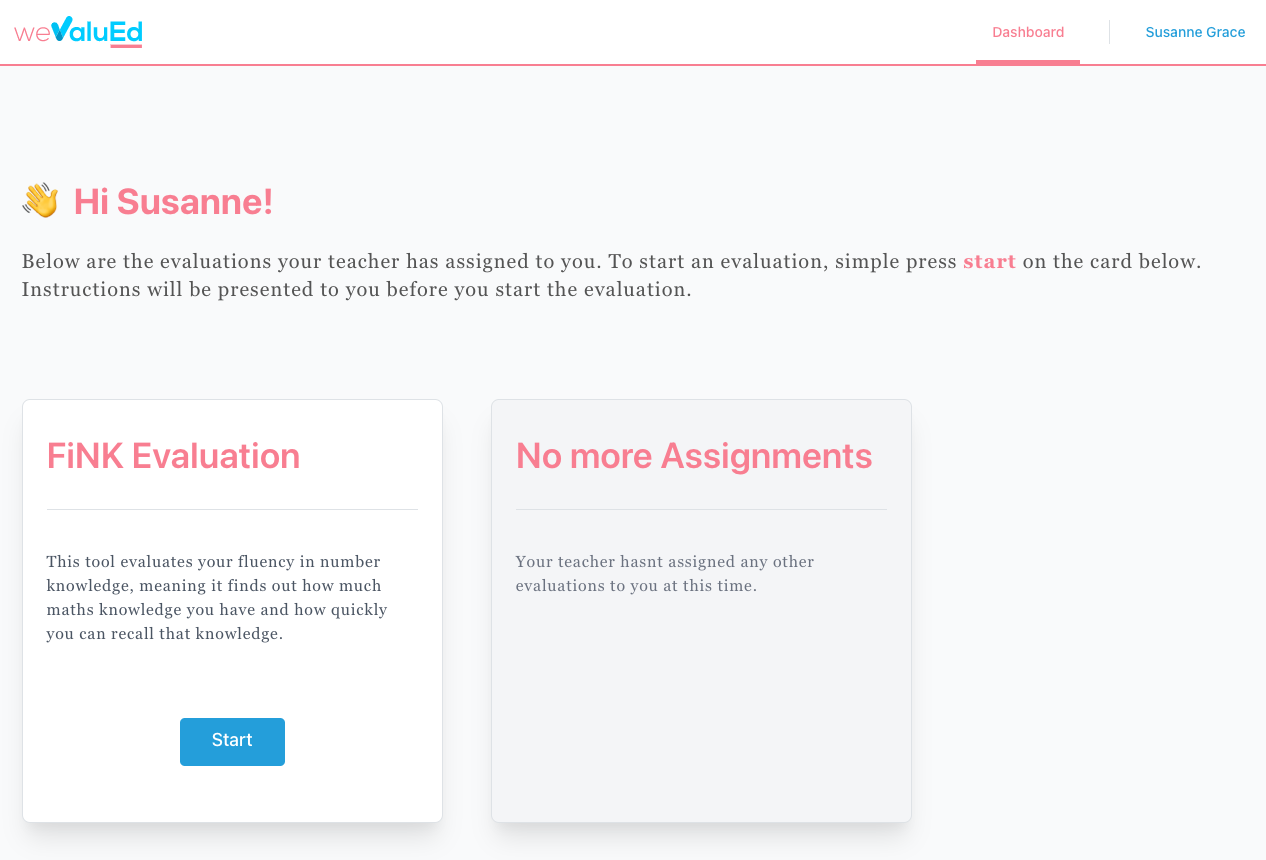
Student Portal Dashboard
When a student logs into their portal, they are displayed with their available evaluations. A student can select the evaluation they wish to complete by clicking the blue start button, where they will be taken to the evaluation tool.
Did this answer your question?
😞
😐
😃